


The UK Integrated Tariff Tool
20/02/2025 10861. General Introduction
In an increasingly complex landscape of international trade, access to accurate information regarding tariffs and import/export regulations has become essential. To address this need, the United Kingdom has developed the Integrated Tariff Tool ( https://www.trade-tariff.service.gov.uk/find_commodity ), a comprehensive online platform built upon the consolidation and improvement of previous tariff information systems. The primary objective of this tool is to provide accurate and up-to-date information on tariffs, regulations, and customs procedures, thereby simplifying the search process, supporting legal compliance, enhancing transparency in trade, and promoting import and export activities.
To achieve these objectives, the tool offers a variety of useful features, such as tariff lookup by HS code or commodity description, information on rules of origin, non-tariff measures, and detailed guidance on customs procedures. The information is regularly updated to ensure accurate reflection of changes in trade policy and legal regulations.
In summary, the UK Integrated Trade Tariff Tool is an invaluable online resource, empowering businesses and individuals to make informed business decisions, comply with the law, and optimize the efficiency of their trade operations with the United Kingdom.
2. Access Instructions
The UK Integrated Online Tariff website offers a comprehensive suite of tools and information to facilitate import and export activities. The main navigation bar provides access to several key sections. The [GOV.UK] link directs users to the main UK government homepage. The Search function allows for keyword-based searches to find general information. The Browse section enables browsing the tariff by category. For users who know the name of the commodity, the A-Z section offers an alphabetical listing. The Tools section compiles various support tools, including exchange rates and quota information. The News section provides updated information on tariff changes. Finally, the Help section contains helpful guides and links for using the website effectively.

2.1. Search Function
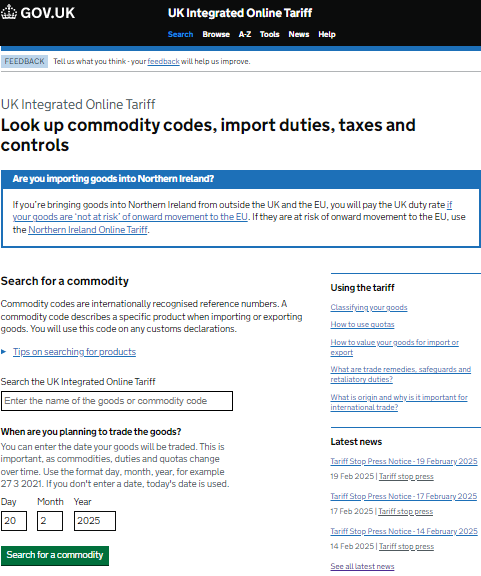
Step 1: Identify Your Commodity
If you are importing goods into Northern Ireland, please refer to the special notice at the top of the page for specific regulations.
Identify the HS code (if known) or prepare a detailed description of the goods.
Step 2: Search for Information
Enter the HS code (if known) OR a detailed description of the goods into the "Enter the name of the goods or commodity code" field.
Step 3: Select Transaction Date (Optional)
For the most accurate results for the time of the transaction, select the expected transaction day, month, and year from the "Day," "Month," and "Year" fields. If you
skip this step, the system will use the current date.
Step 4: Search
Click the "Search for a commodity" button to view the results.
Step 5: View Results
After searching, you will see a list of matching commodities. Select your commodity to view detailed information on taxes, regulations, and other requirements.
2.2. Browse Section
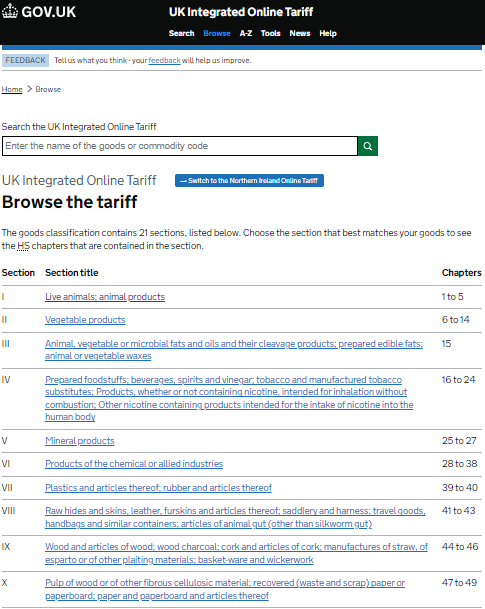
To explore the tariff structure and search for goods by category, you can access the "Browse" section by clicking the corresponding link on the navigation bar. On the "Browse" page, you can still search directly by HS code or commodity description, or navigate to the tariff specific to Northern Ireland if needed.
The page displays a list of "Sections" arranged in Roman numerals, with each Section comprising multiple "Chapters" related to a specific group of goods. To search, carefully read the title of each Section to identify the most relevant one, then click on that title to view a more detailed list of Chapters. Continue browsing through the Chapters to find the specific commodity group you are interested in.
2.3. A-Z Section
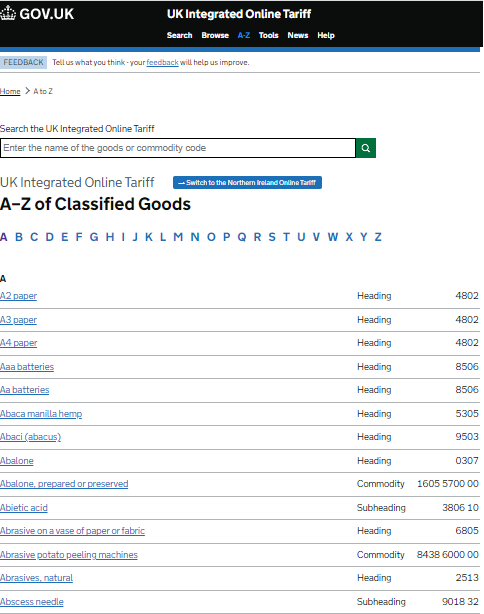
In this section, you can still search directly using the HS code or a commodity description. However, this section is most useful when you know the name of the commodity and want to quickly find its HS code and related information. The list of commodities is categorized and arranged alphabetically. Click on a letter to view the list of commodities starting with that letter.
2.4. Tools Section
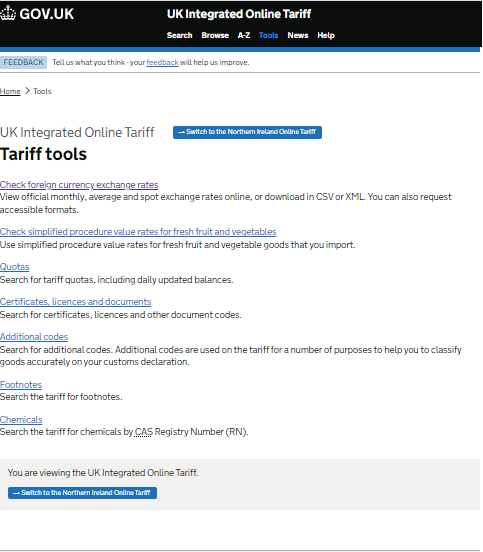
This section compiles a variety of useful tools to support users in import and export activities. Here, you can easily check the official exchange rates and download them in various formats, or utilize simplified procedure values for imported fresh fruit and vegetables. The page also provides a tariff quota search tool, information on certificates, licenses, and other document codes, as well as a search for additional codes, annotations, and chemical-related information by CAS Registry Number (RN).
2.5. News Section
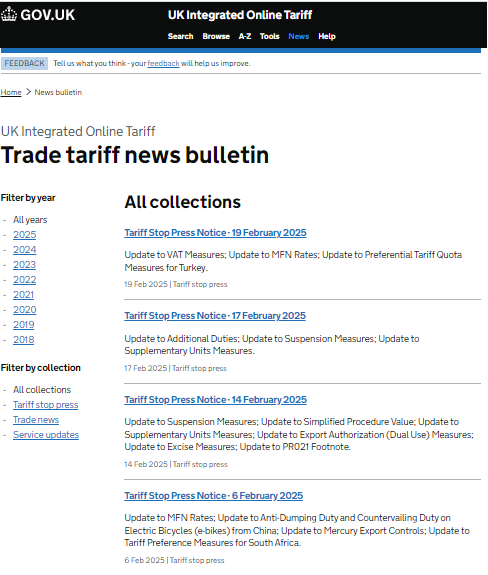
Here, you can filter news by year or by collection (e.g., "Tariff suspension notices," "Trade news," "Service updates"). The list of news items is displayed in chronological order, with the latest news at the top, along with the title, publication date, and a summary. Click on the title of a news item to view the full details.
2.6. Help Section
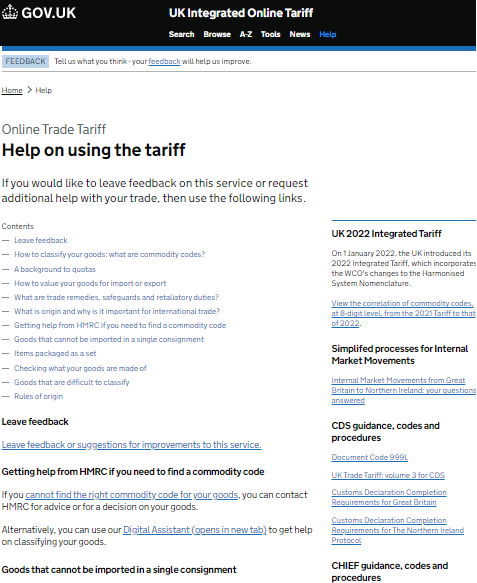
If you need assistance while using the tariff, access the "Help" section by clicking the corresponding link on the navigation bar. Here, you will find a variety of helpful resources, including a table of contents with detailed guidance topics, a link to submit feedback, contact information for HMRC (HM Revenue & Customs) for expert support, and a Digital Assistant to help classify goods. Additionally, the page provides information on the UK Integrated Tariff 2022, simplified procedures for intra-market movements, and guidance on the CDS and CHIEF customs declaration systems.
Source: Center for WTO and International Trade - VCCI